COMICS · GAMES · CARDS · BOOKS · MOVIES · MUSIC · TOYS · CUSTOM
Your collection.
Your computer.
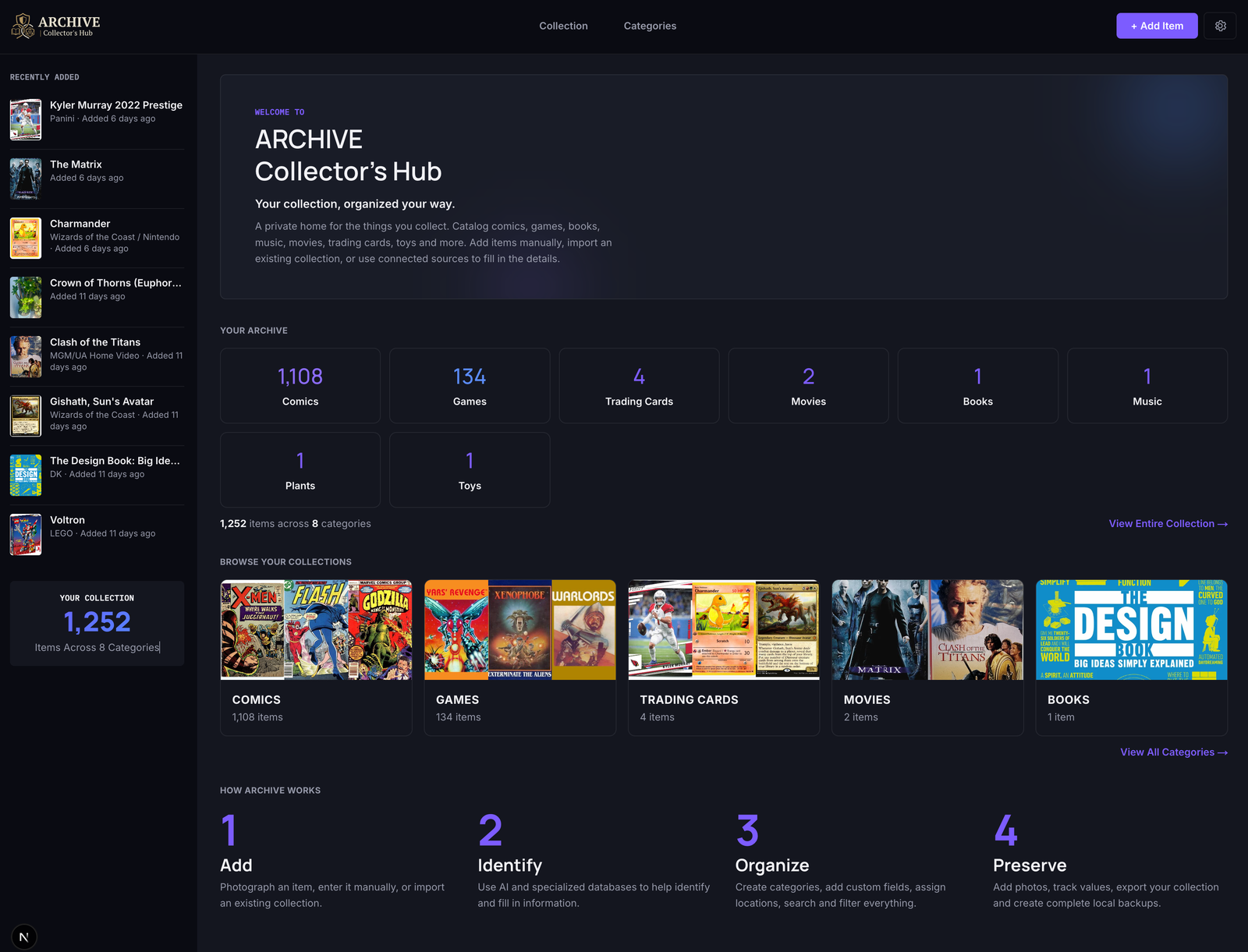
I built My Collection Ledger because I wanted a collection manager that lived on my computer, not in someone else's cloud. My database, my photos, my collection. No account or subscription required. I built it for myself.
Now I'm sharing it with collectors like me.
Try the iPhone & iPad Beta → on TestFlight — the companion to your desktop collection.
How this is built
Your collection
should belong to you.
There's no My Collection Ledger account because you don't need one. There's no hosted collection database because your collection lives on your computer. And there's no subscription — I wanted to build a useful tool you can simply use, not another service to keep paying for.
Moving your collection between your computer and your phone means saving or choosing a file, not signing into a cloud service. That's intentional: you keep control of your collection instead of handing it over to someone else's server.
Two connected experiences
Your computer keeps the collection.
Your phone goes with you.
My Collection Ledger for iPhone & iPad is a real companion app, not just a viewer — browse, search, and add items on the go. Your desktop stays the master collection the whole time.
My Collection Ledger
Your actual collection — database and photos, stored on your computer.
(a private snapshot)
My Collection Ledger for iPhone & iPad
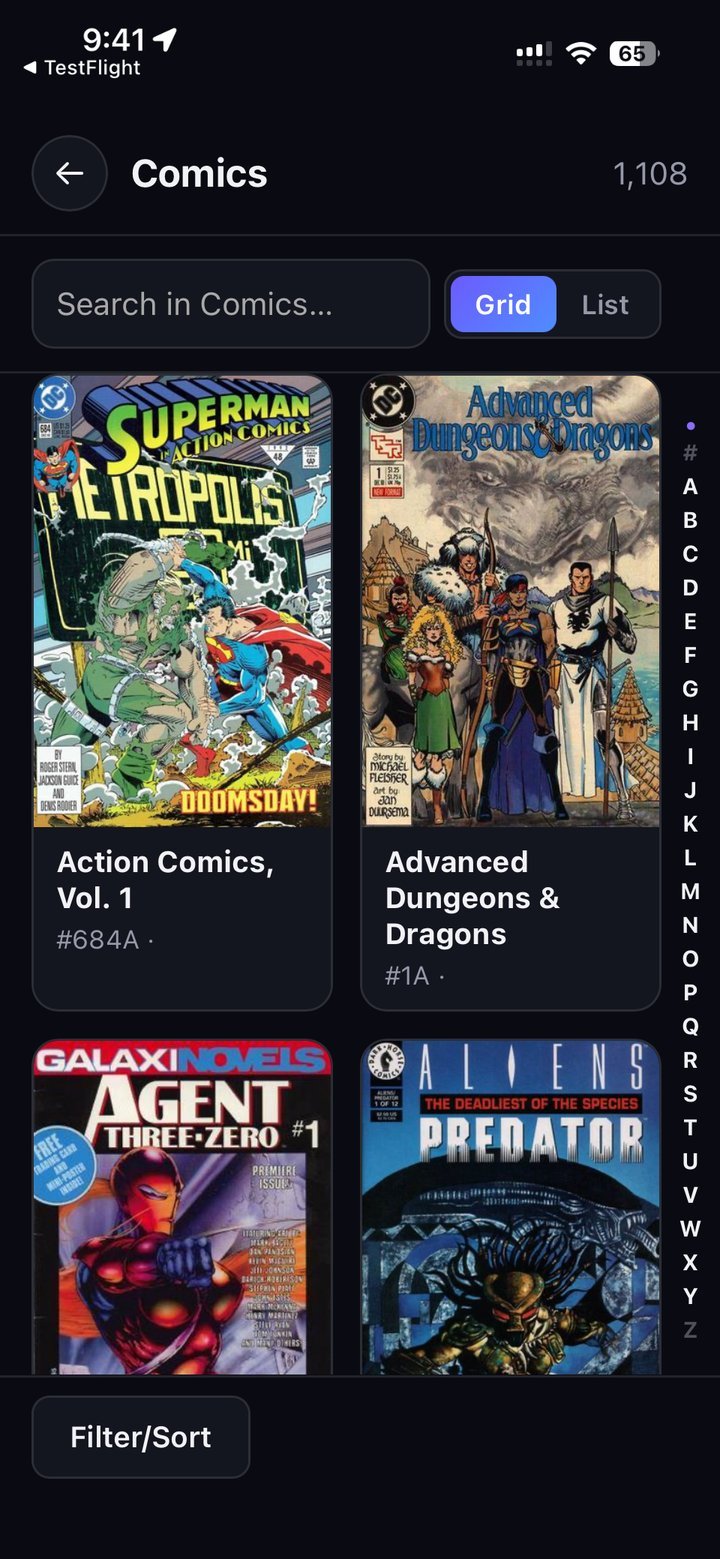
Browse your Visual Catalog, and add new items while you're out.
Add on your phone. Finish on your computer.
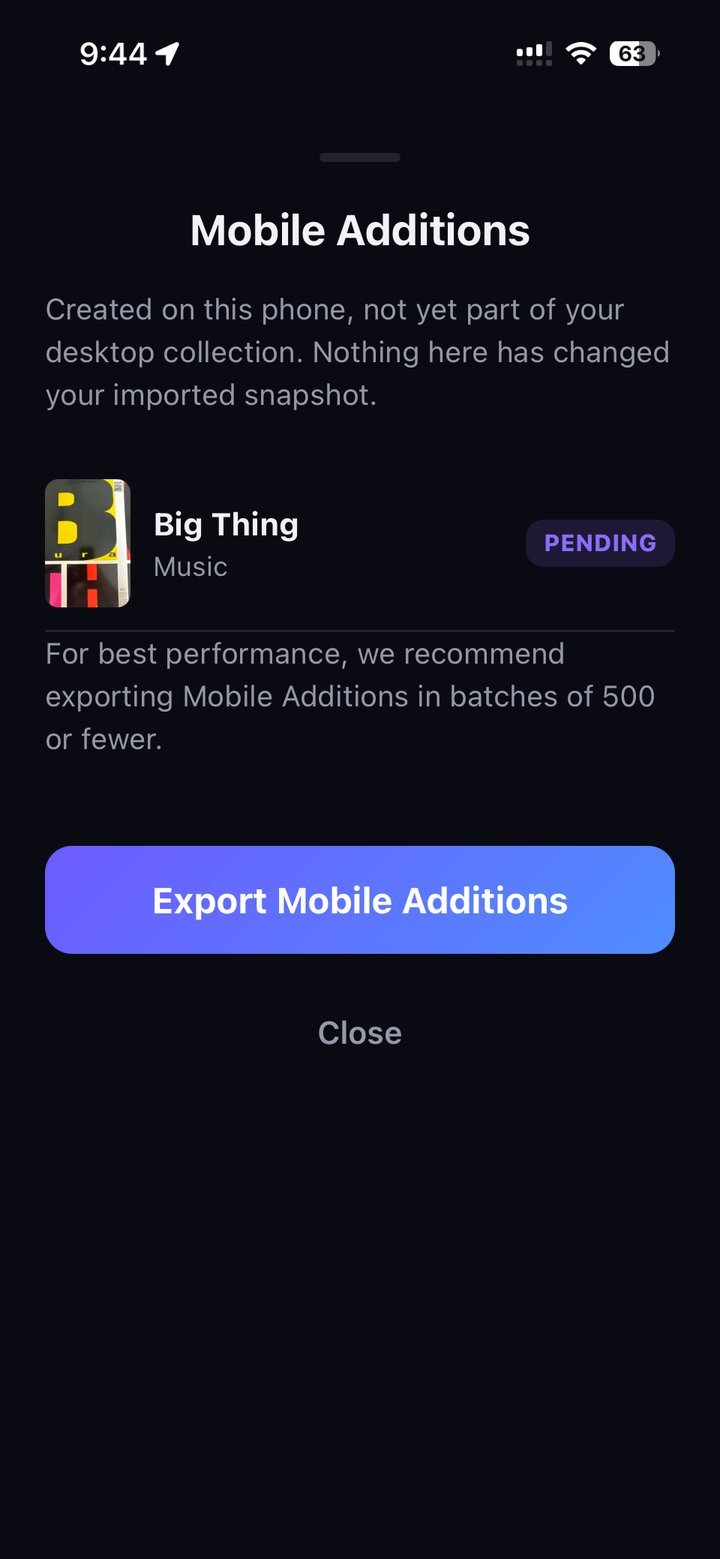
Mobile Additions
New items you add on your phone, kept separate from your imported Visual Catalog until you export them.
whenever you're ready
My Collection Ledger
Bring Mobile Additions in on your own schedule. Nothing merges automatically.
TestFlight betaCurrently available
Your collection in your pocket.
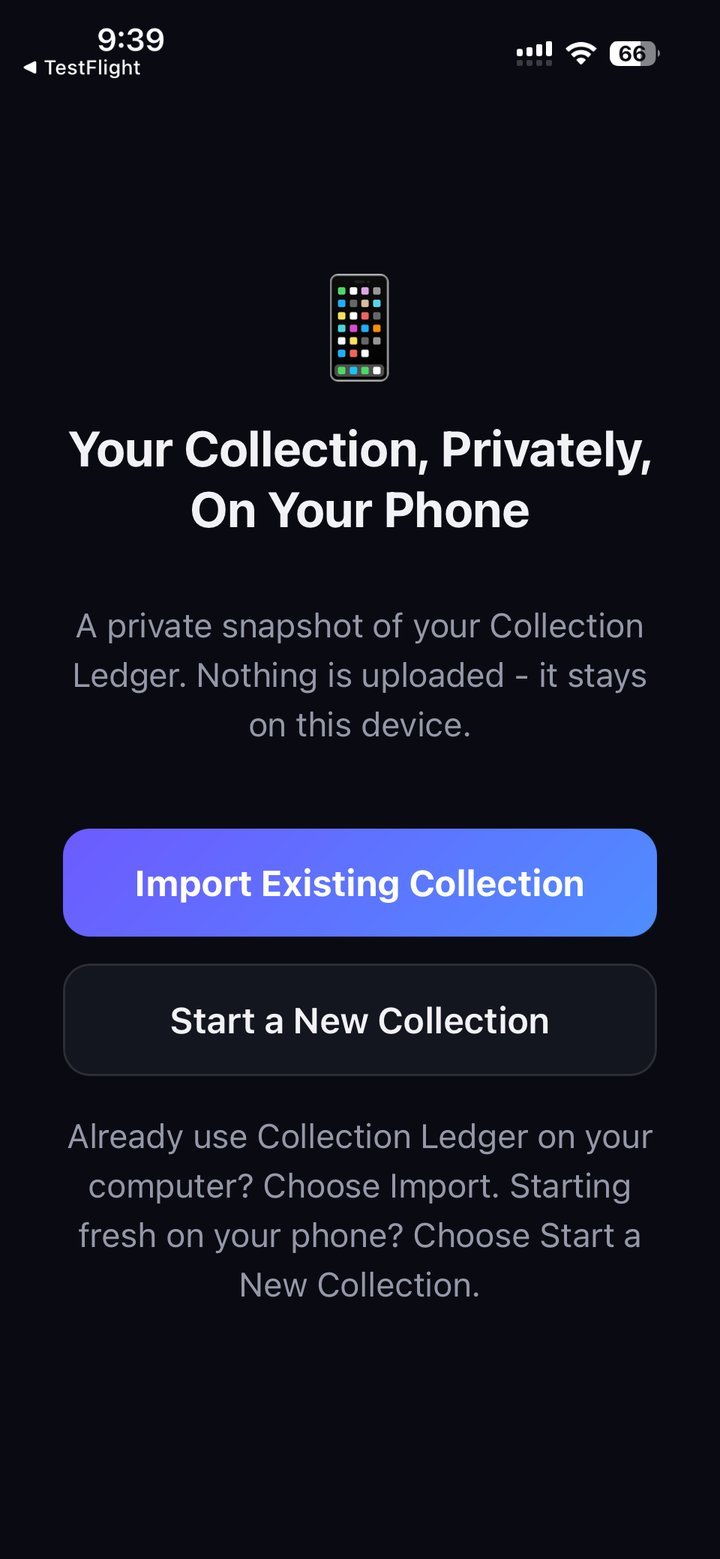
My Collection Ledger for iPhone & iPad lets you start a new collection or import a private snapshot from your desktop, then take it with you.
- Browse by category, with instant search, filter, and sort
- Scan a barcode or add an item manually — even away from your computer
- Check current eBay prices right from an item's detail view
- New items become Mobile Additions, kept separate until you export them back to your desktop collection
What you can do with it
Built for how collectors actually work.
Catalog anything, get help identifying it, track what it's worth, and move your data freely.
Any collection
Comics, games, cards, books, movies, music, toys — or a category you create.
AI-assisted entry
Upload a photo and let AI pre-fill the details, or enter it by hand.
Optional enrichment
Pulls structured data from Comic Vine, IGDB, TMDB and Discogs — only when you ask.
Value tracking
Your own estimate, plus marketplace research on PriceCharting, PicClick and eBay.
Import & export
Import a spreadsheet or CLZ collection, export to CSV or Excel with real photos.
Full backups
One portable file with your whole database and photos, fully under your control.
See it for yourself
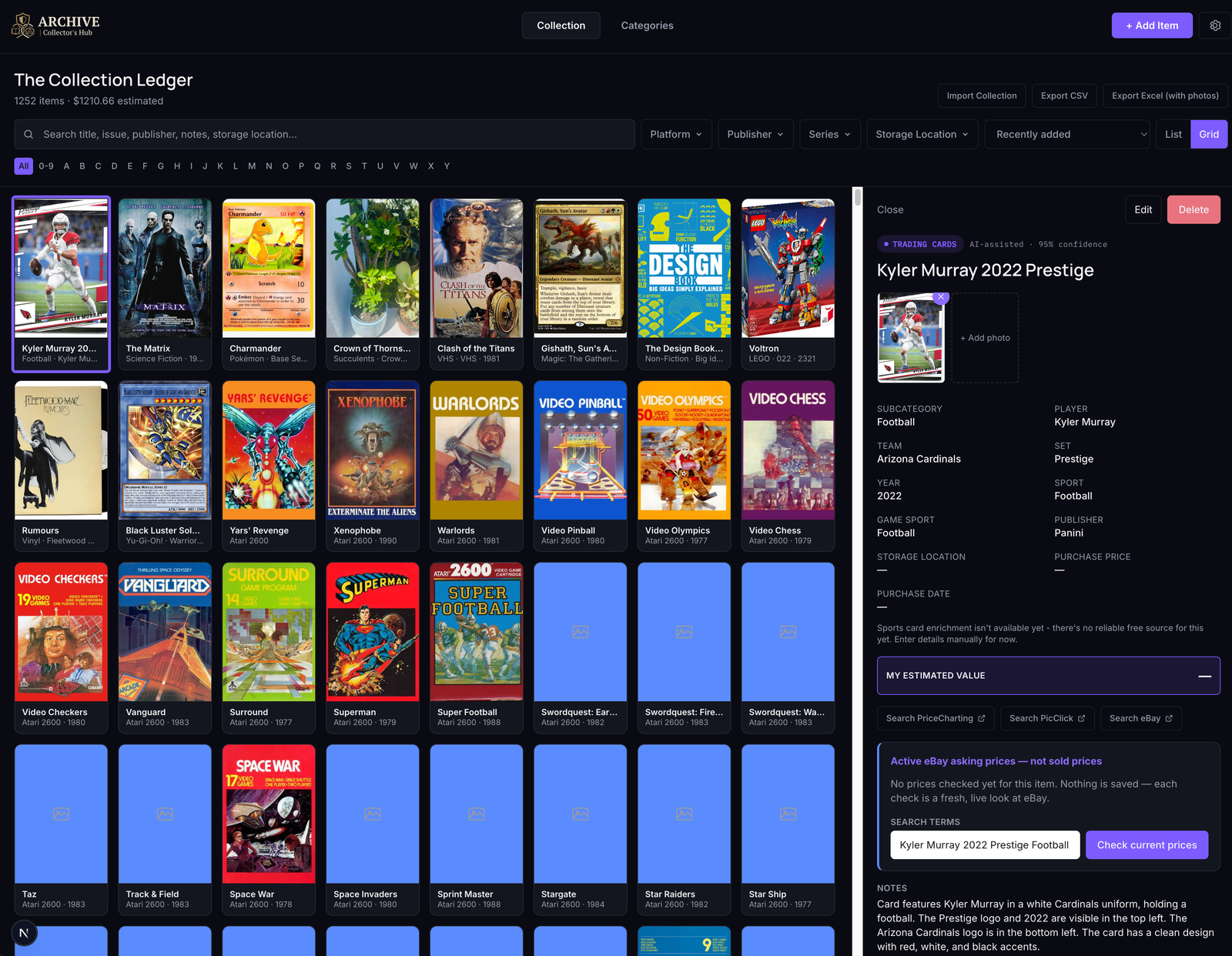
Every item gets a real record, not a row.
Multiple photos, condition, storage location, and whatever enrichment data its source offers — all searchable, all yours.
Get started
Get My Collection Ledger.
My Collection Ledger doesn't require an account, a subscription, or a cloud database — your desktop collection stays on your computer, and I don't need your email address or a copy of it. It works a little differently from typical cloud-based collection apps, because you keep the files and stay in control. iPhone & iPad is available now as a public TestFlight beta.
Desktop
Your master collection.
Wraps the full app in a native window. Everything runs and lives on your machine — nothing to host, nothing to sync.
Mac: not sure which one you need? Apple menu → About This Mac tells you. Requires macOS 13 Ventura or later.
Windows: requires Windows 10 or later, 64-bit.
- Platform macOS or Windows
- OS version macOS 13+ / Windows 10+
- Account required None
- Data location On your disk
- Price Free to run
iPhone & iPad
Take your collection with you.
Currently available as a public beta through Apple TestFlight — not yet an App Store release. Start fresh or import a private snapshot of your desktop collection.
- Platform iPhone or iPad
- OS version iOS / iPadOS (current)
- Distribution Apple TestFlight (public beta)
- Account required Apple ID, for TestFlight only
- Price Free